
Add the Hukamnama widget on iPhone
The Daily Hukamnama widget shows a verse from today's Hukamnama right on your home screen.
- Touch and hold an empty spot on your home screen until the apps jiggle.
- Tap Edit in the top corner, then Add Widget. On older iPhones, tap the + button.
- Search for Simran and choose Daily Hukamnama.
- Swipe to pick the medium or large size, tap Add Widget, then Done.
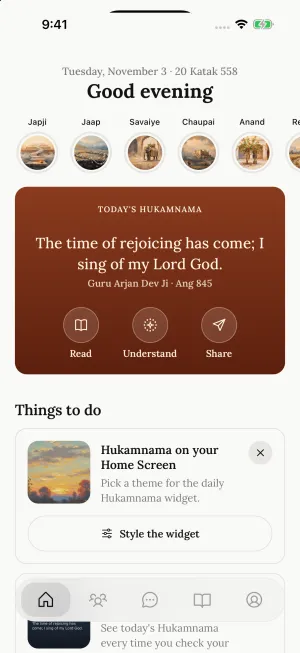
Simran's Home tab also has a Hukamnama on your Home Screen card with a Style the widget button.
Want it on your lock screen too? See Hukamnama on your lock screen. To change its language or background, see Change the widget's language and background.
Still need help?
We read every message. Include the ID from the bottom of Settings in the app so we can find your account quickly.
Write to us